
Input Configuration
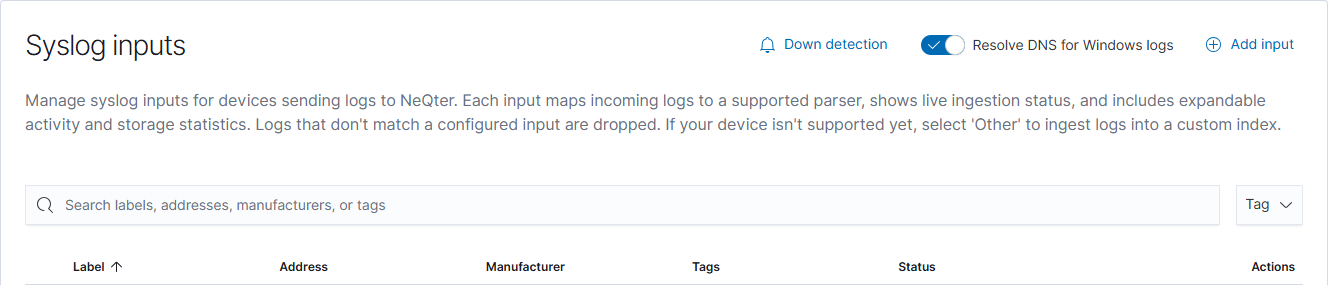
Use Settings → Inputs to configure incoming syslog and supported cloud API collectors in NeQter. Syslog devices send their logs to the appliance; API collectors retrieve logs from the service you authorize.
Agent settings are managed separately in Hosts → Groups. Adding a syslog input does not install an agent or configure Windows audit policy.
Choose an input
| Input | What you configure | Setup guide |
|---|---|---|
| Syslog | The sending address, matching parser, tags, and optional dashboards. | Syslog setup |
| Cisco Meraki | The Meraki environment and API key. | Meraki collection |
| Cisco Secure Endpoint | The API client ID and API key. | Secure Endpoint collection |
| Google Workspace | Administrator authorization and Admin, Drive, or Login event collection. | Google Workspace setup |
| Microsoft Office 365 | Tenant/app credentials, subscription environment, and audit workloads. | Office 365 setup |
Complete and verify setup
- Choose the collector that matches your source and follow its setup guide.
- Save or authorize the configuration using that collector’s controls.
- Generate an appropriate test event and allow for the source’s delivery or API delay.
- Find the event in Discover using the relevant data view and time range.
- Enable the supplied dashboards under Settings → Dashboards, if needed.
For syslog, create the input before sending logs: NeQter drops messages that do not match a configured input. For API collectors, check permissions, selected event types, and the service state if data is missing.
More input controls
The Settings Inputs reference covers editing, collection switches, ingestion statistics, down detection, and authorization recovery. Some switches apply immediately, so use the specific collector’s instructions when changing an existing configuration.