
Archive Storage
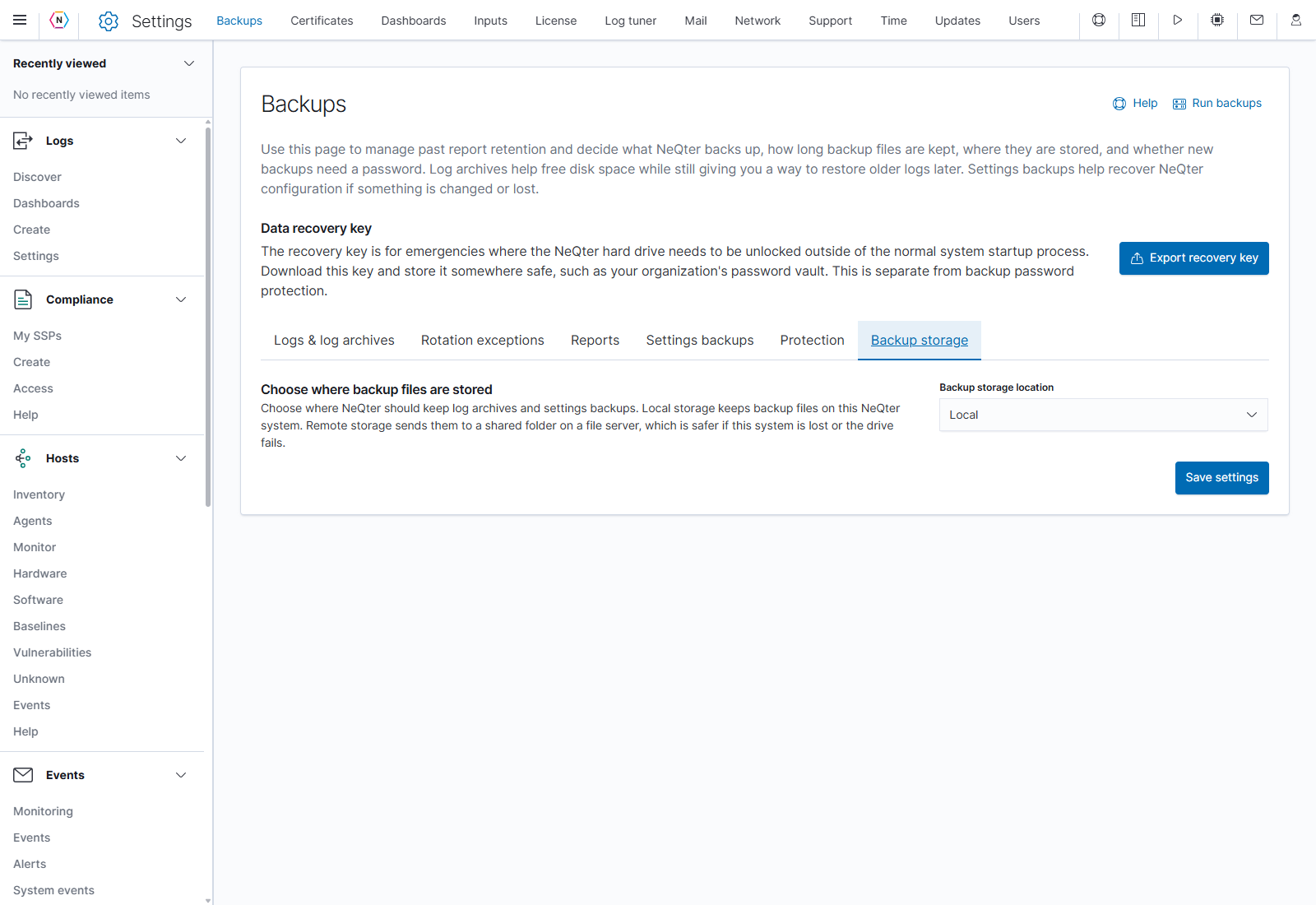
Open Settings > Backups > Backup storage in NeQter. This tab chooses where NeQter keeps both log archives and settings backups. Select a location in Backup storage location, then click Save settings to apply it.
Local storage
Choose Local to store backup files on the NeQter appliance. Local storage requires no file-share credentials. It keeps the files on the same system, so consider a remote location when backups need to remain available if the appliance or its drive fails.
Remote SMB storage
Choose Remote file share (SMB/Samba) to reveal the connection fields. Obtain the share path and account details from the administrator of the file server.
| Field | What to enter |
|---|---|
| Path | The network share path, for example \\host-name\share-name. |
| Username | The account NeQter uses to connect to the share. It needs permission to add, read, and delete backup files in that folder. |
| Password | The password for that file-share account. This connects to storage; it does not set the password for protected backup files. |
| SMB Version | Auto, 1.0, 2.0, or 3.0. Leave this on Auto unless the file server requires a particular version. |
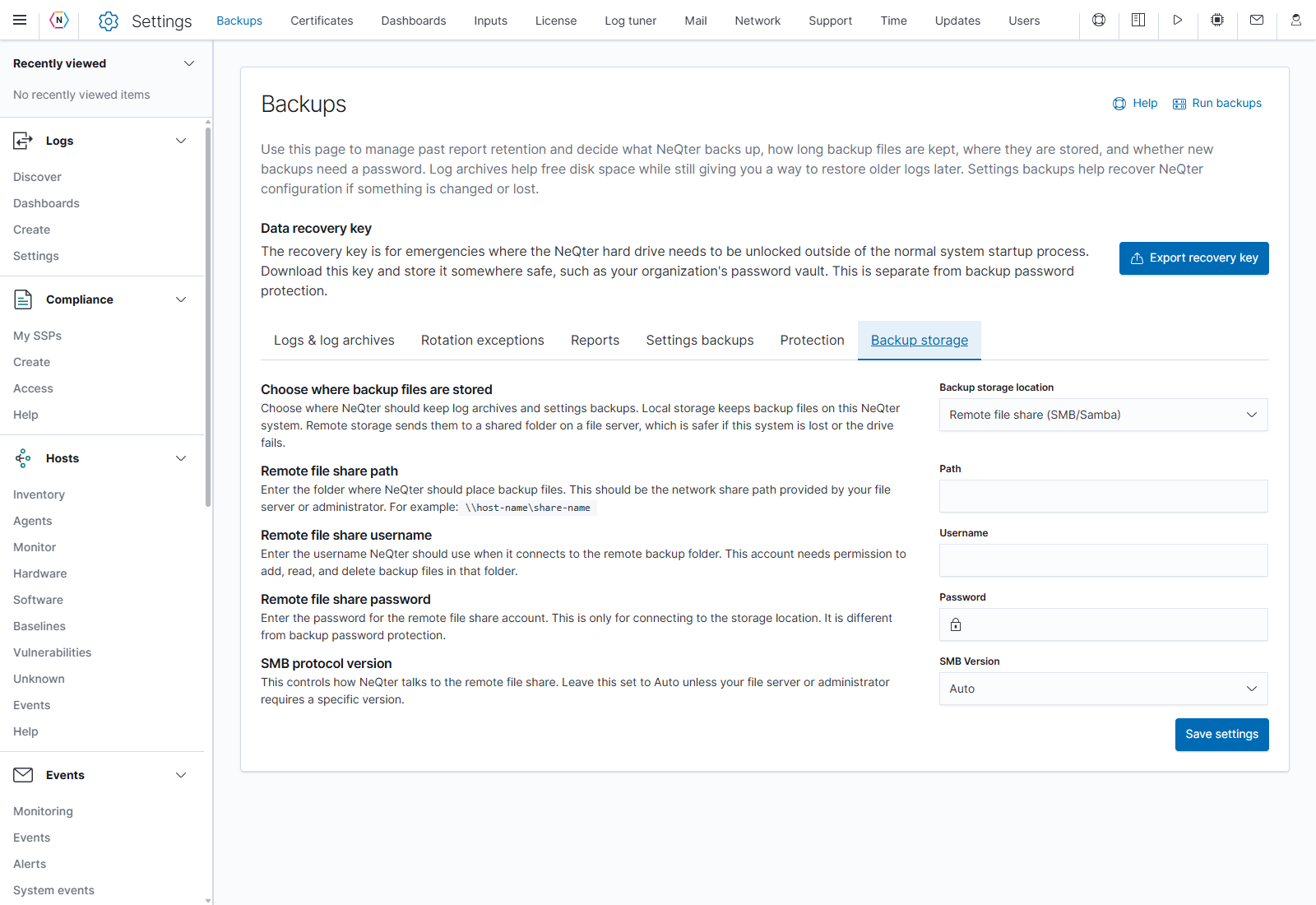
Click Save settings to apply the location and connection details. NeQter reports mount or permission failures if it cannot use the share. Check the path, account permissions, password, and SMB version when a connection fails.
Log archive and settings-backup retention still applies to files kept on the remote share. Choose their retention periods on Logs & log archives and Settings backups, respectively.
Move existing local backups
After remote storage is saved, Move existing local backups offers two choices:
| Choice | Result |
|---|---|
| Move backups | Starts transferring existing local backup files to the saved remote location. |
| Don’t transfer | Leaves those existing files on the appliance. |
If remote storage is already saved and local files remain, Move local backups starts the transfer directly. Progress shows completed files and the current filename. Conflicting backup settings and actions are locked while files move.
When remote storage is selected, the archive and settings-backup tables show that storage location. Local files left behind are not included in the remote listing. Review the transfer result and the relevant backup table after it finishes.
Continue with Data Management or Settings Backups.